
Knowledge Center Guide
Providers, EDI and First Health
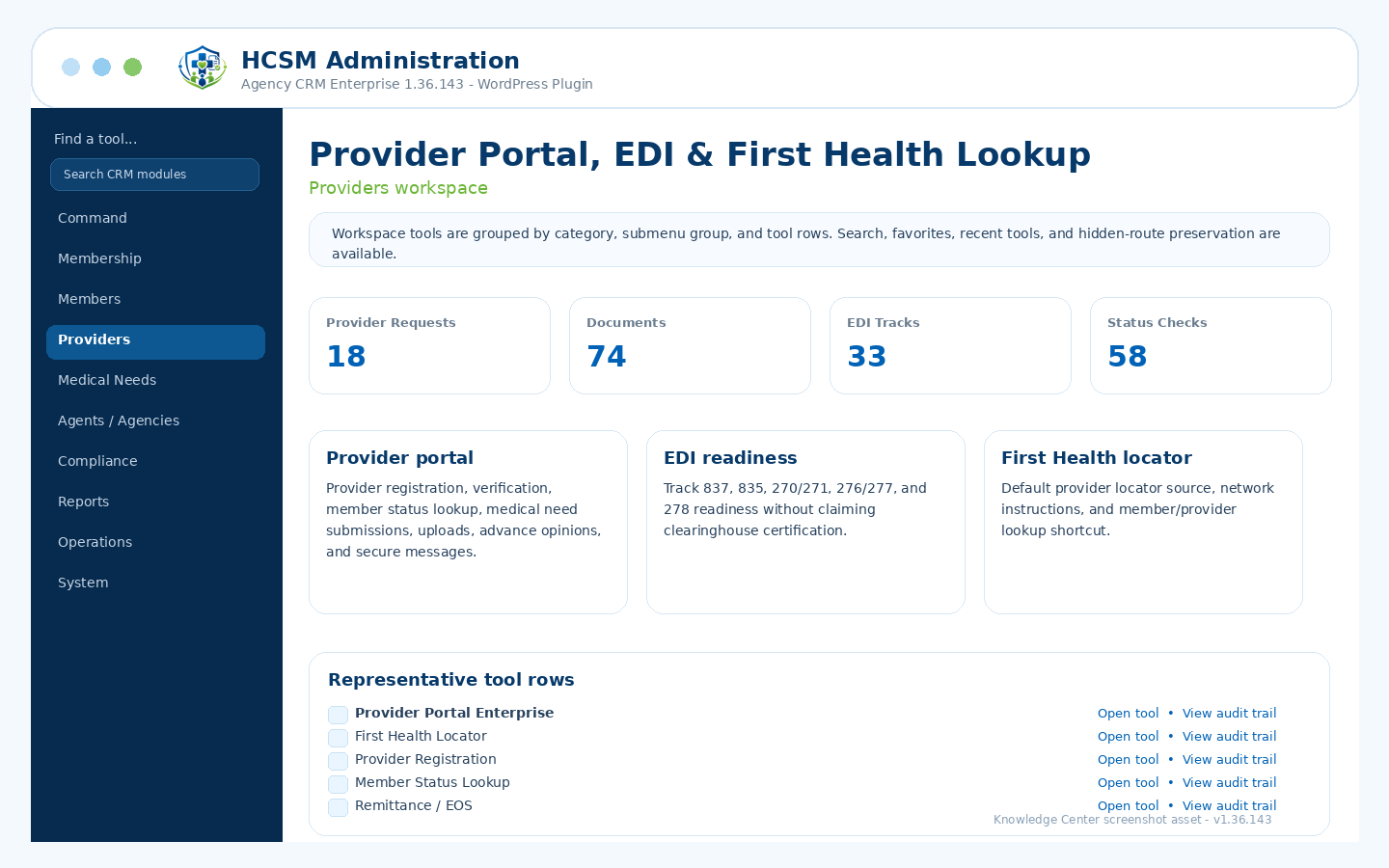
Provider portal, registration, verification, member status lookup, EDI readiness tracking, remittance/EOS, and First Health lookup.
Admin path: HCSM CRM → Providers
How it works
Workflow overview
- Configure provider portal settings, instructions, network lookup URLs, support details, and submission routing.
- Allow provider registration, verification, member status lookup, medical need submissions, document uploads, and secure messages.
- Track EDI readiness for common healthcare transaction workflows without presenting clearinghouse certification.
- Use First Health locator defaults and member/provider shortcut settings for network lookup support.
Included controls
What administrators can manage
Use these controls as the starting checklist for this module. The exact visible tools can vary by package branch, permissions, feature toggles, and production/demo role settings.
Provider Portal EnterpriseProvider registration and verificationMember status lookupMedical need submissions and document uploadsEDI readiness trackingFirst Health provider locator defaults
These are administrative workflow tools, not legal, clinical, payer, insurance, payment-processing, cybersecurity, IRS, state, HCSM regulatory, or HIPAA certification.
Related guides