Latest uploaded system version

v1.36.185 feature update and screenshot walkthroughs.

This page adds the newest HCSM Administration features from the uploaded enterprise white-label package while keeping the existing website design and layout. It is safe to edit in WPBakery.

Buy Plugin Request Demo

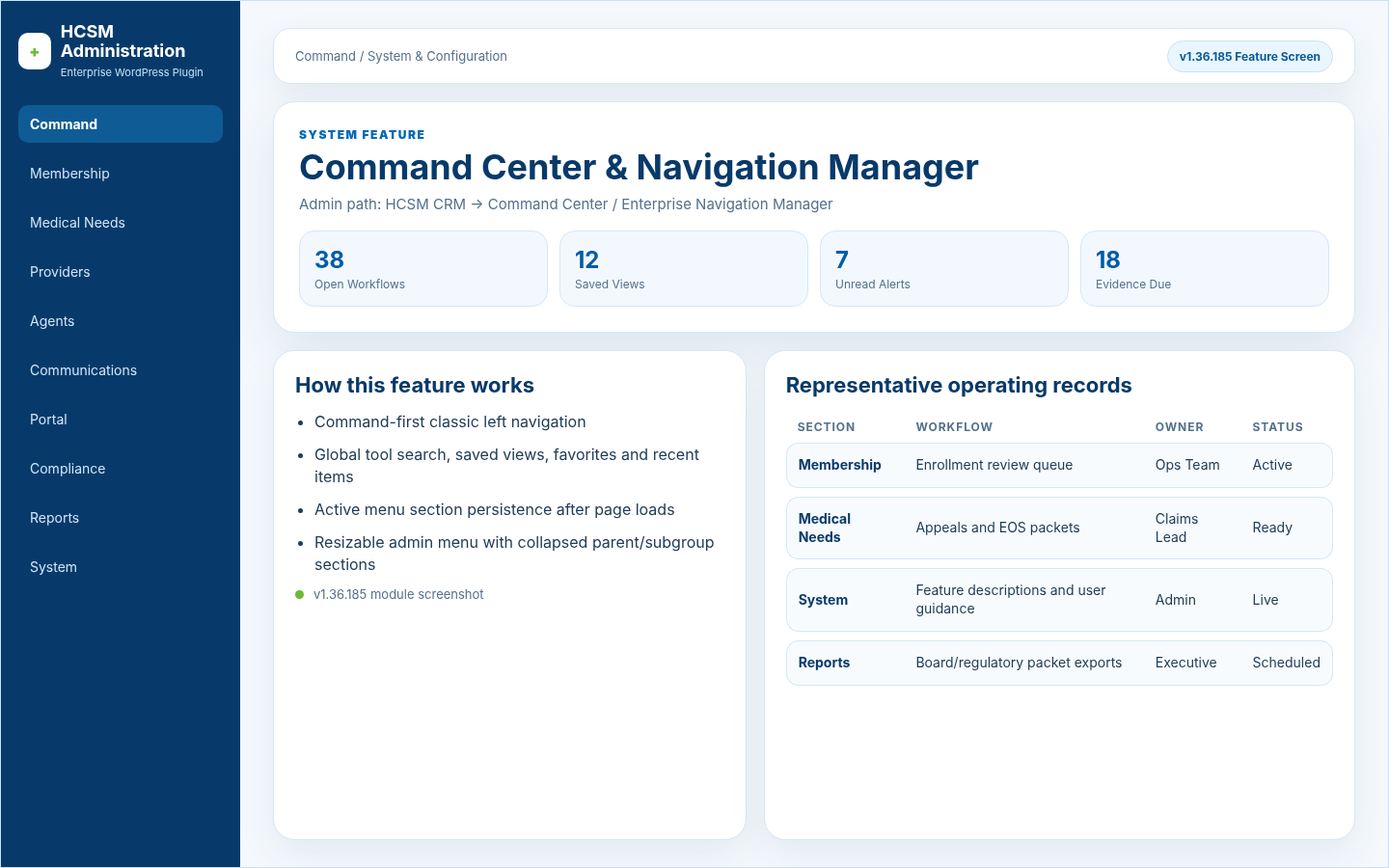
Command Center & Navigation Manager v1.36.185 screenshot

Latest system update

v1.36.185 features added to the website without replacing your custom content.

This block summarizes the uploaded enterprise white-label build and highlights the new live chat, HCSM operating system, launch, customer packaging, portal, compliance, integration, and admin usability additions.

Updated for v1.36.185

v1.36.185

Live Chat Enterprise Suite

Native live chat was expanded from a simple widget into a full communications system with desktop inbox, public bubble, mobile app, sessionless API app, push alerts, SMS/Twilio/webhooks, AI assistant, away replies, delete/bulk delete controls, badge sync, and reliability repairs.

v1.36.185

HCSM Operating System Layers

The operating-system modules add workflow templates, lifecycle engines, guideline rules, unified timeline, data quality, notifications, support tickets, business depth, portals, compliance governance, and enterprise scale controls.

v1.36.185

Production Launch & Operational Proof

Launch lockdown, feature visibility audit, public page verification, smoke tests, notification tests, live chat end-to-end testing, contribution payment readiness, security/PHI gates, backup gates, and QA signoff support go-live review.

v1.36.185

White-Label & Customer Launch Operations

Sales/customer launch tools, starter templates, demo data, edition comparison, package builder, welcome emails, checkout/license automation, customer factory, customer success registry, update channels, package evidence, and backup/migration evidence support reseller operations.

v1.36.185

Guidance, Training & Admin Usability

System-wide Page Guide boxes, searchable feature descriptions, PHI-sensitive reminders, membership card studio editing, color scheme sync, live preview, active menu section persistence, and table readability improvements reduce training time.

Command Center & Navigation ManagerCommand / System & Configuration

Command-first classic left navigation; Global tool search, saved views, favorites and recent items

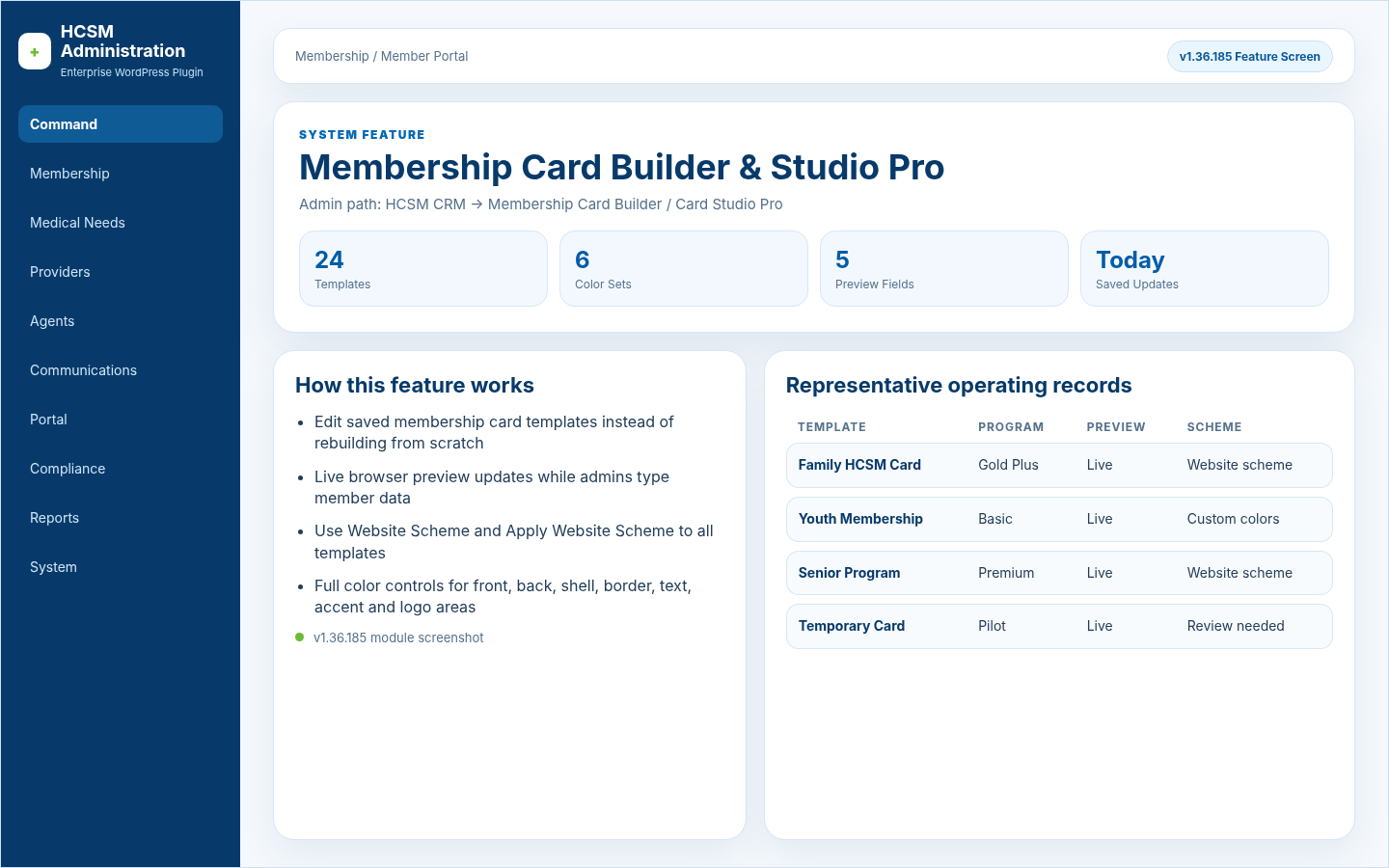
Membership Card Builder & Studio ProMembership / Member Portal

Edit saved membership card templates instead of rebuilding from scratch; Live browser preview updates while admins type member data

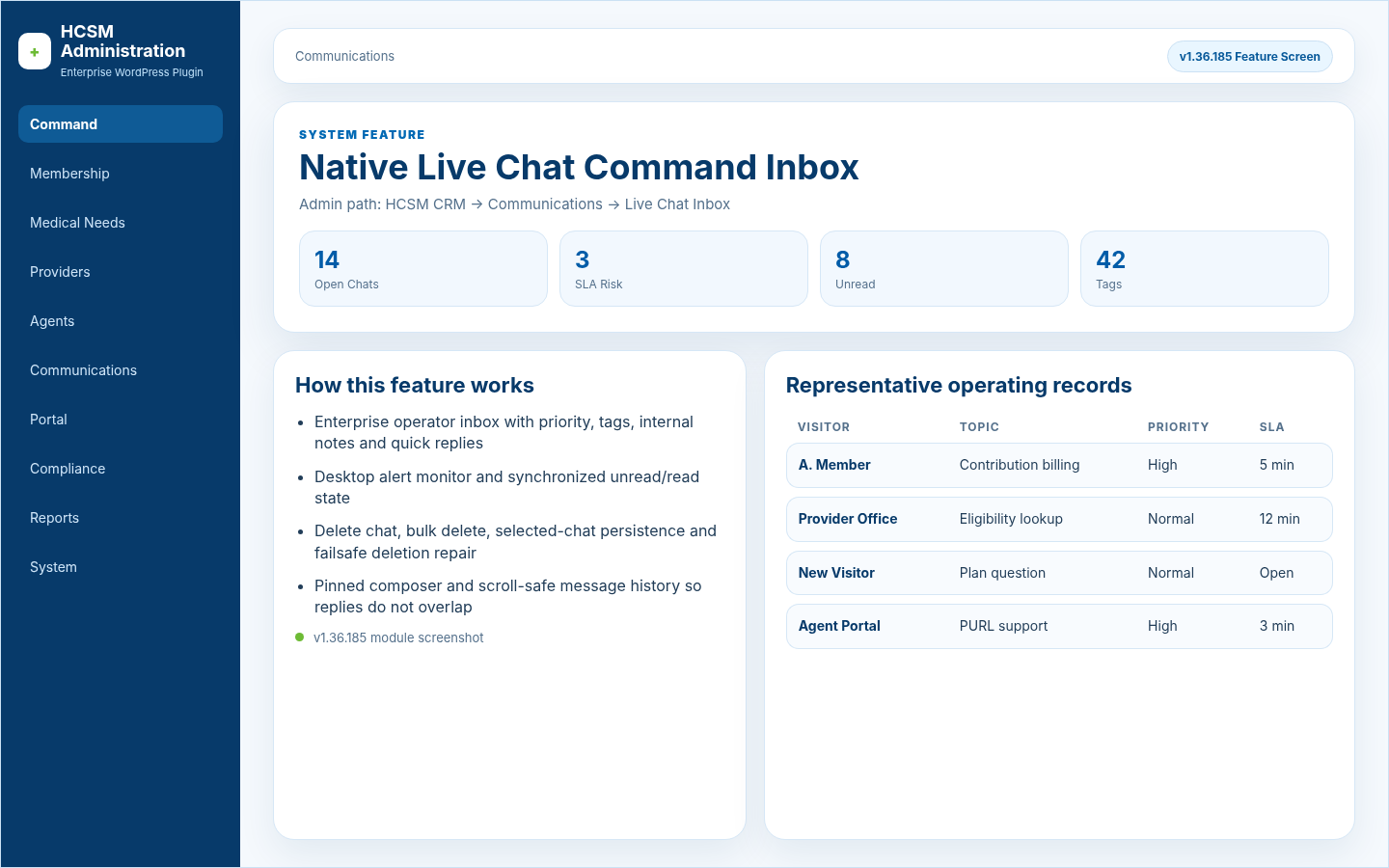
Native Live Chat Command InboxCommunications

Enterprise operator inbox with priority, tags, internal notes and quick replies; Desktop alert monitor and synchronized unread/read state

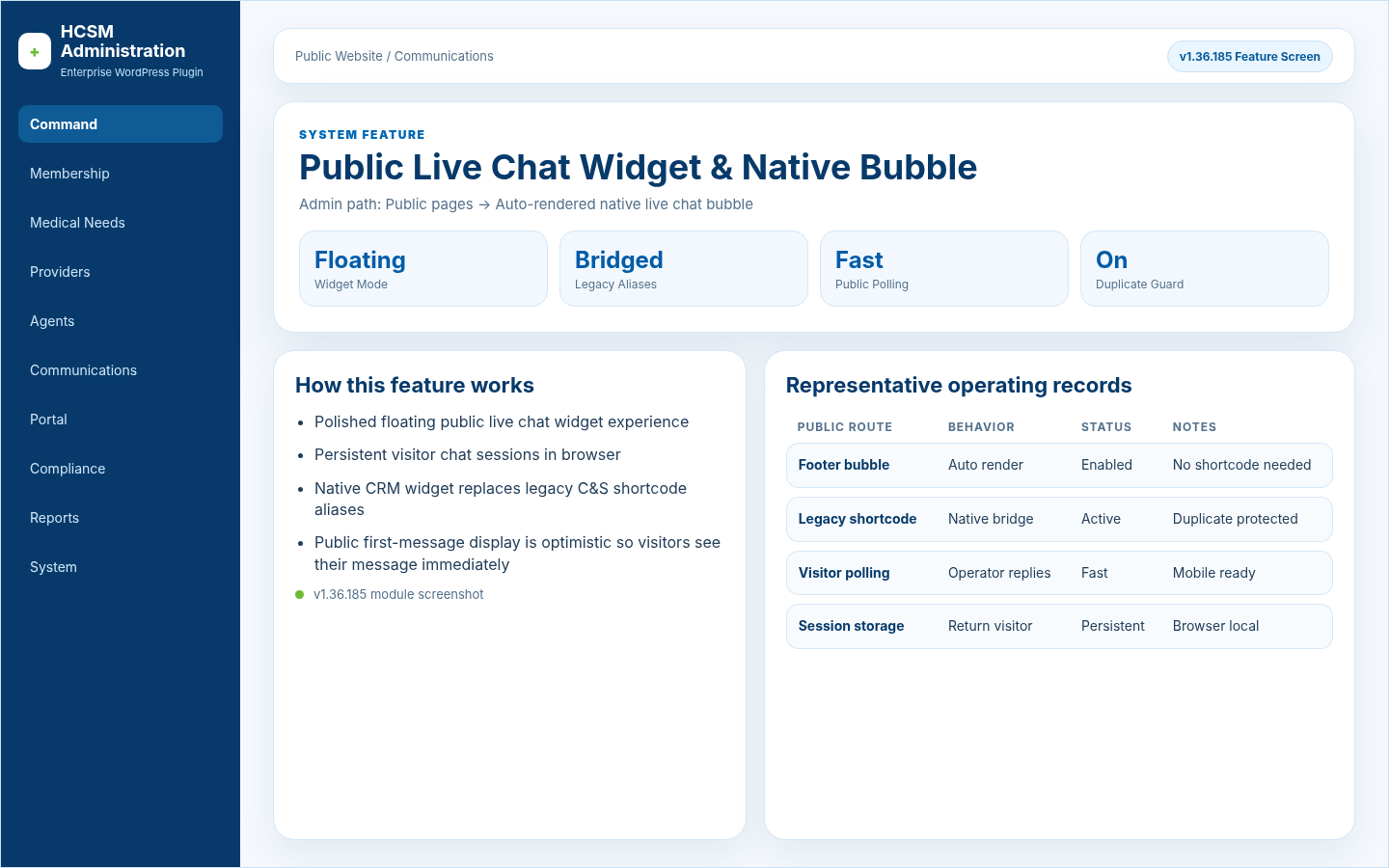
Public Live Chat Widget & Native BubblePublic Website / Communications

Polished floating public live chat widget experience; Persistent visitor chat sessions in browser

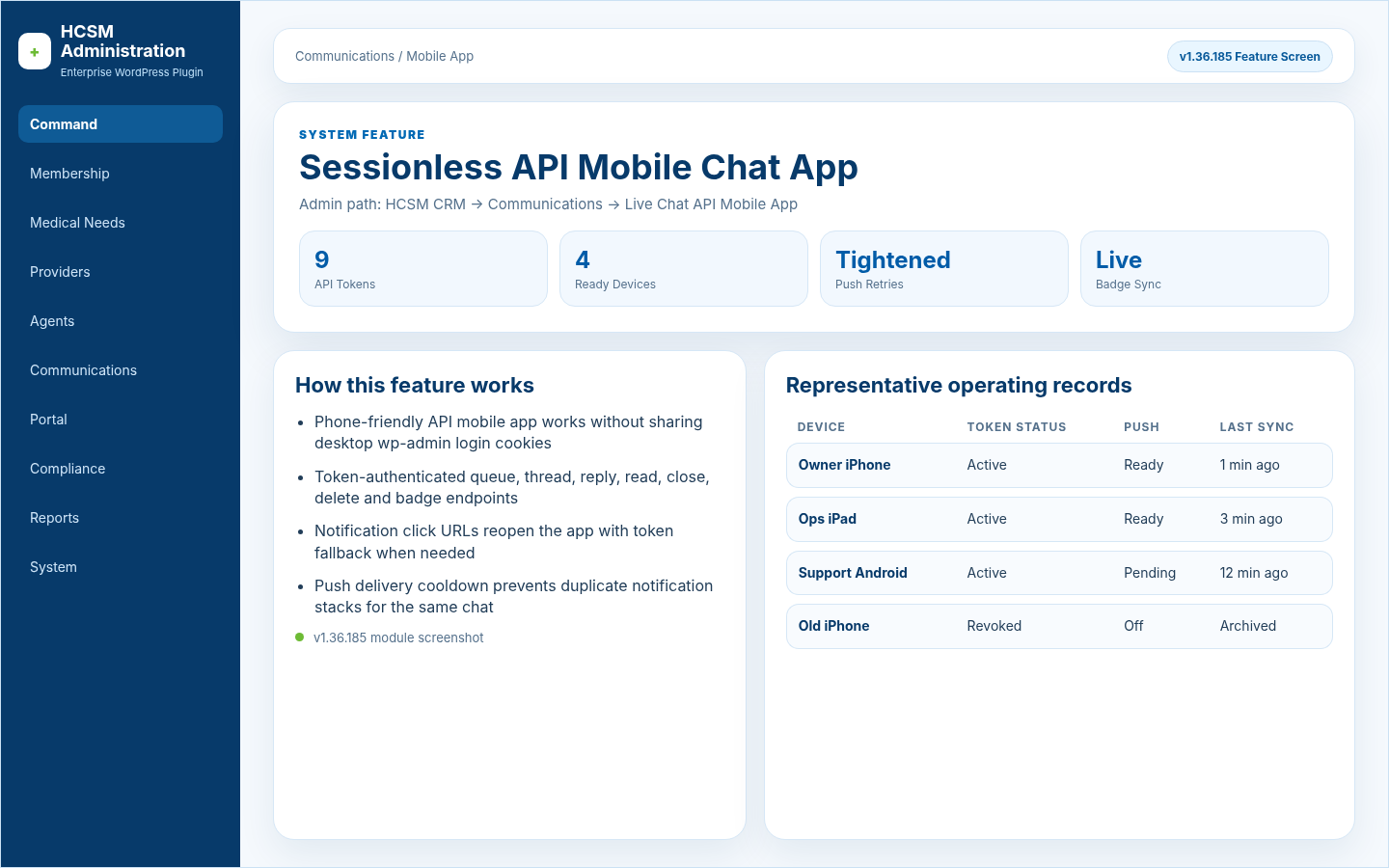
Sessionless API Mobile Chat AppCommunications / Mobile App

Phone-friendly API mobile app works without sharing desktop wp-admin login cookies; Token-authenticated queue, thread, reply, read, close, delete and badge endpoints

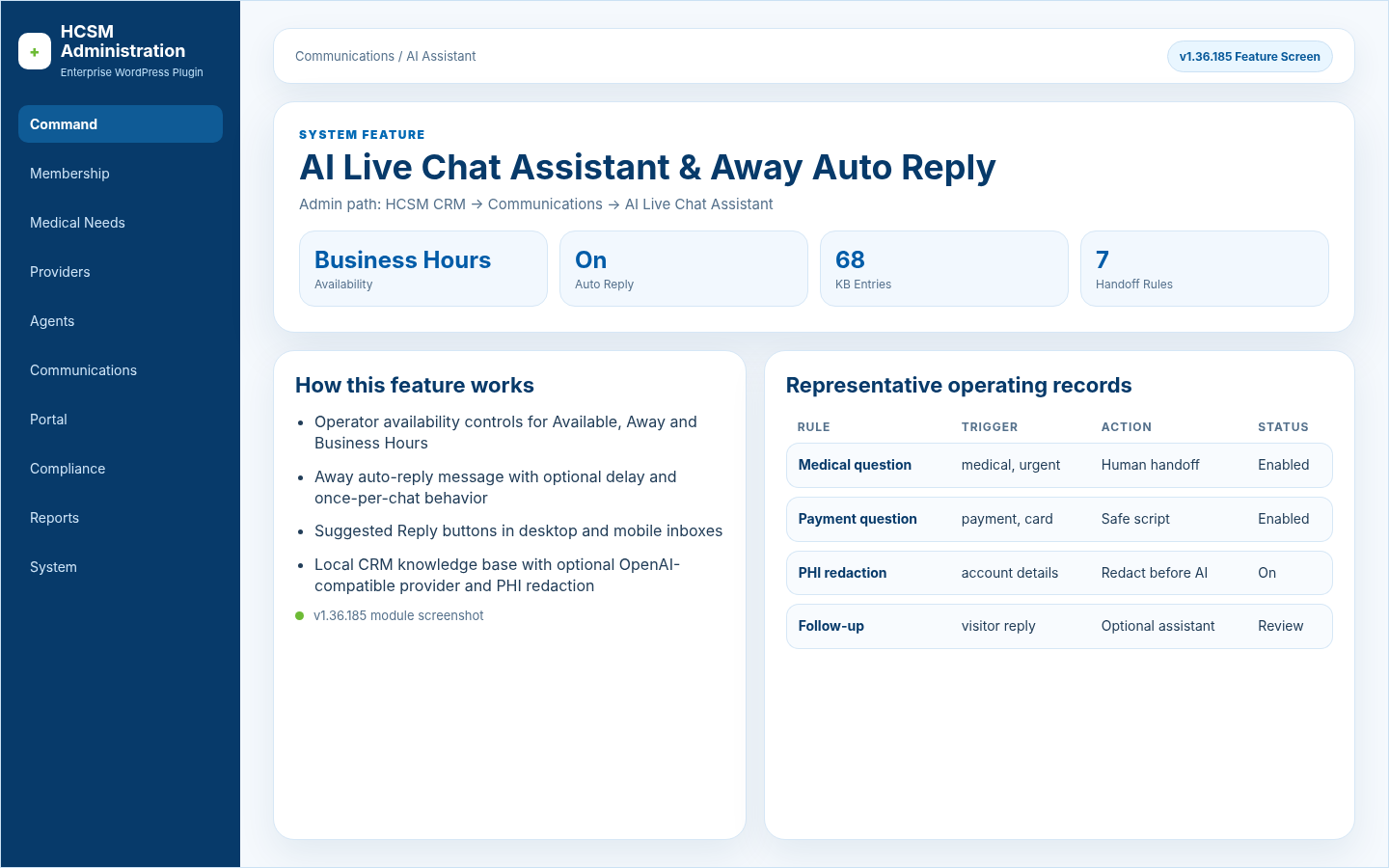
AI Live Chat Assistant & Away Auto ReplyCommunications / AI Assistant

Operator availability controls for Available, Away and Business Hours; Away auto-reply message with optional delay and once-per-chat behavior

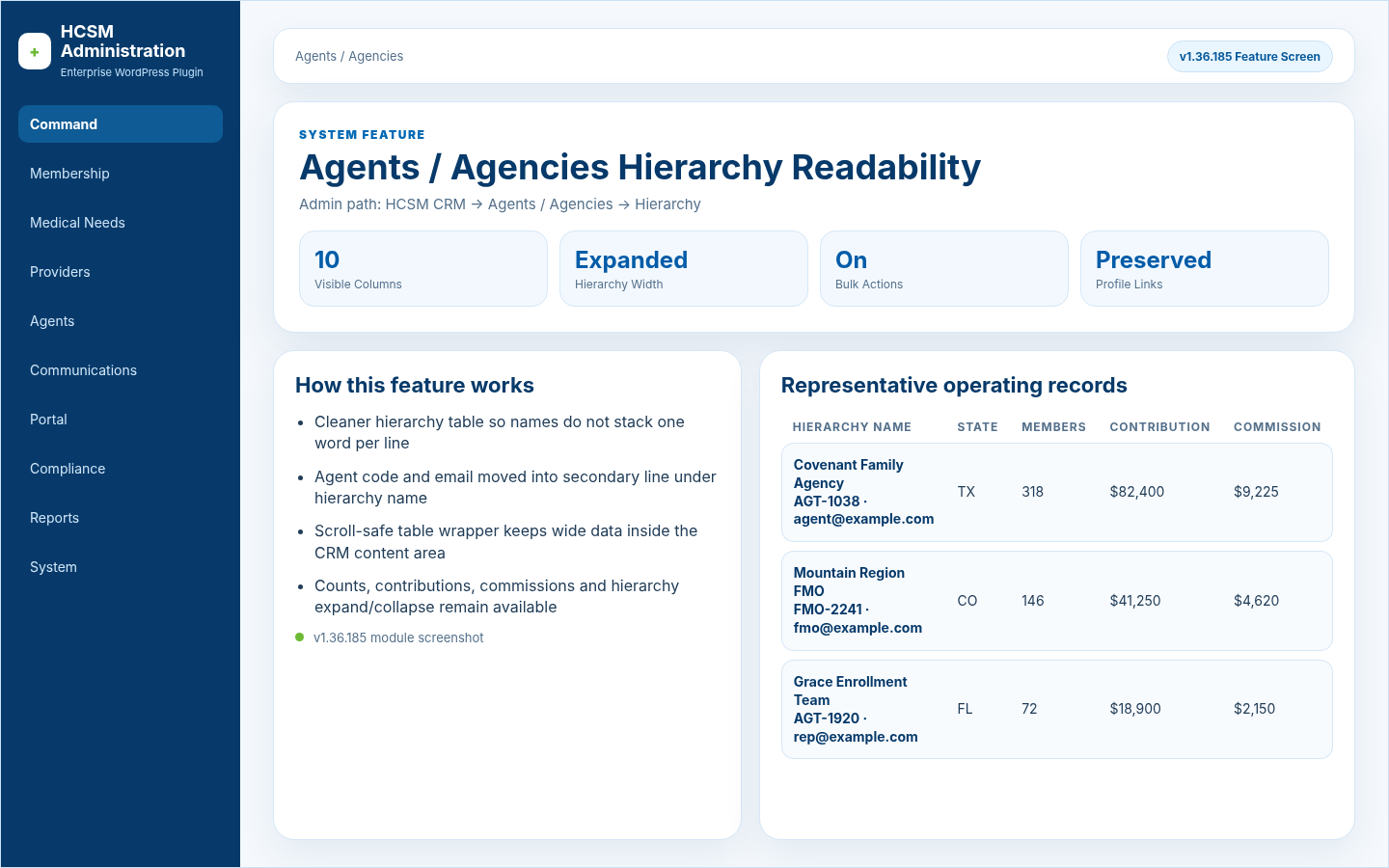
Agents / Agencies Hierarchy ReadabilityAgents / Agencies

Cleaner hierarchy table so names do not stack one word per line; Agent code and email moved into secondary line under hierarchy name

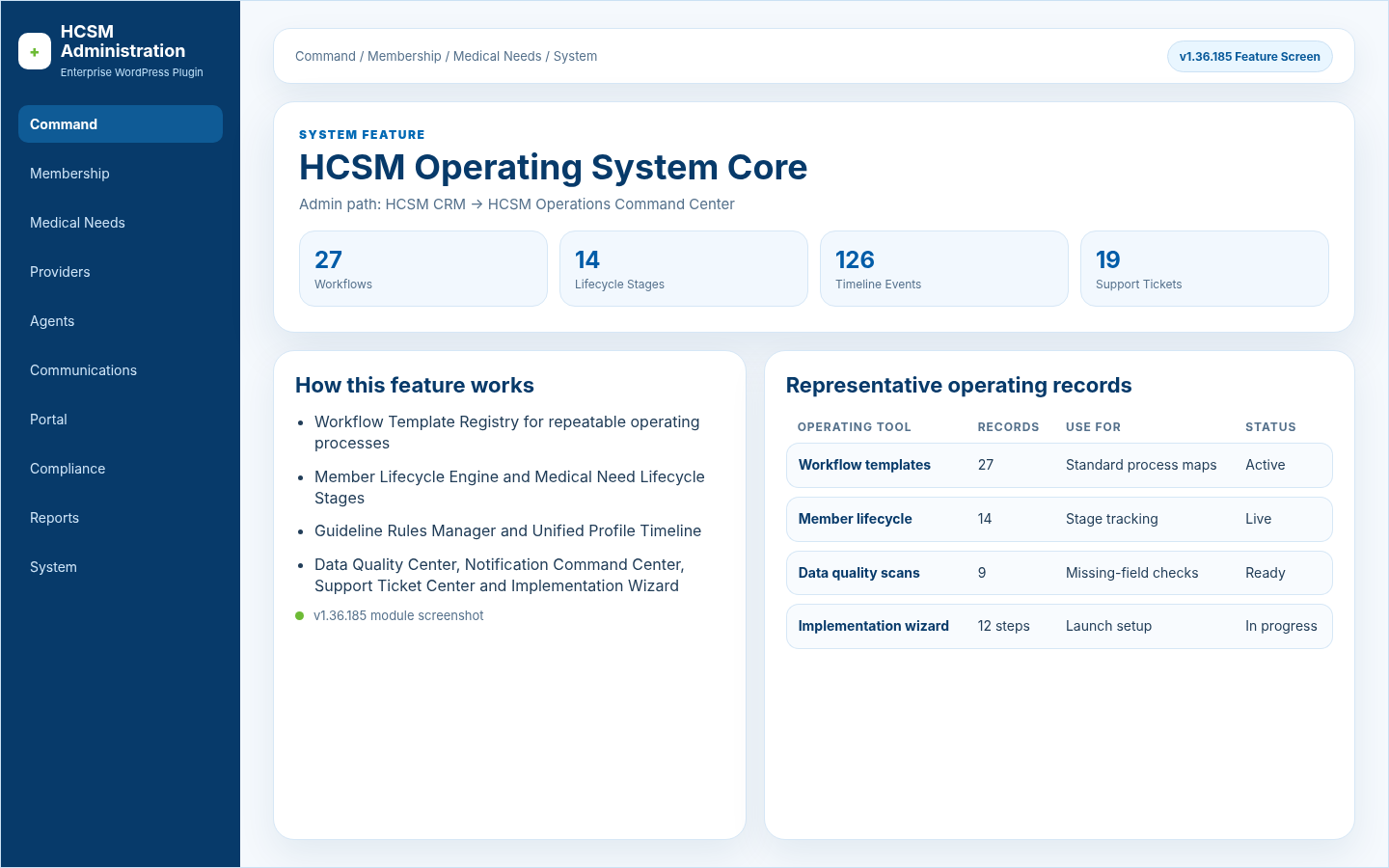
HCSM Operating System CoreCommand / Membership / Medical Needs / System

Workflow Template Registry for repeatable operating processes; Member Lifecycle Engine and Medical Need Lifecycle Stages

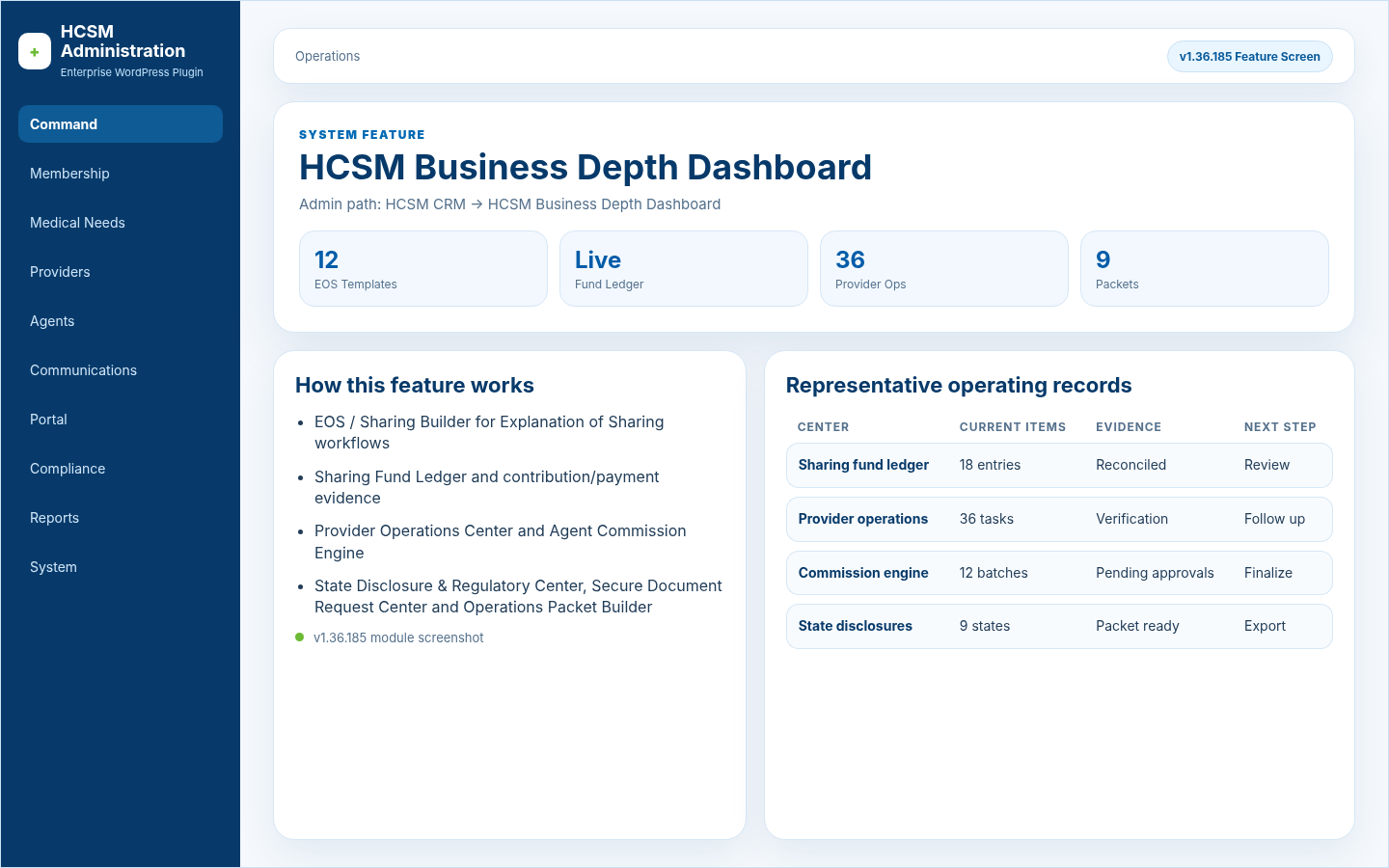
HCSM Business Depth DashboardOperations

EOS / Sharing Builder for Explanation of Sharing workflows; Sharing Fund Ledger and contribution/payment evidence

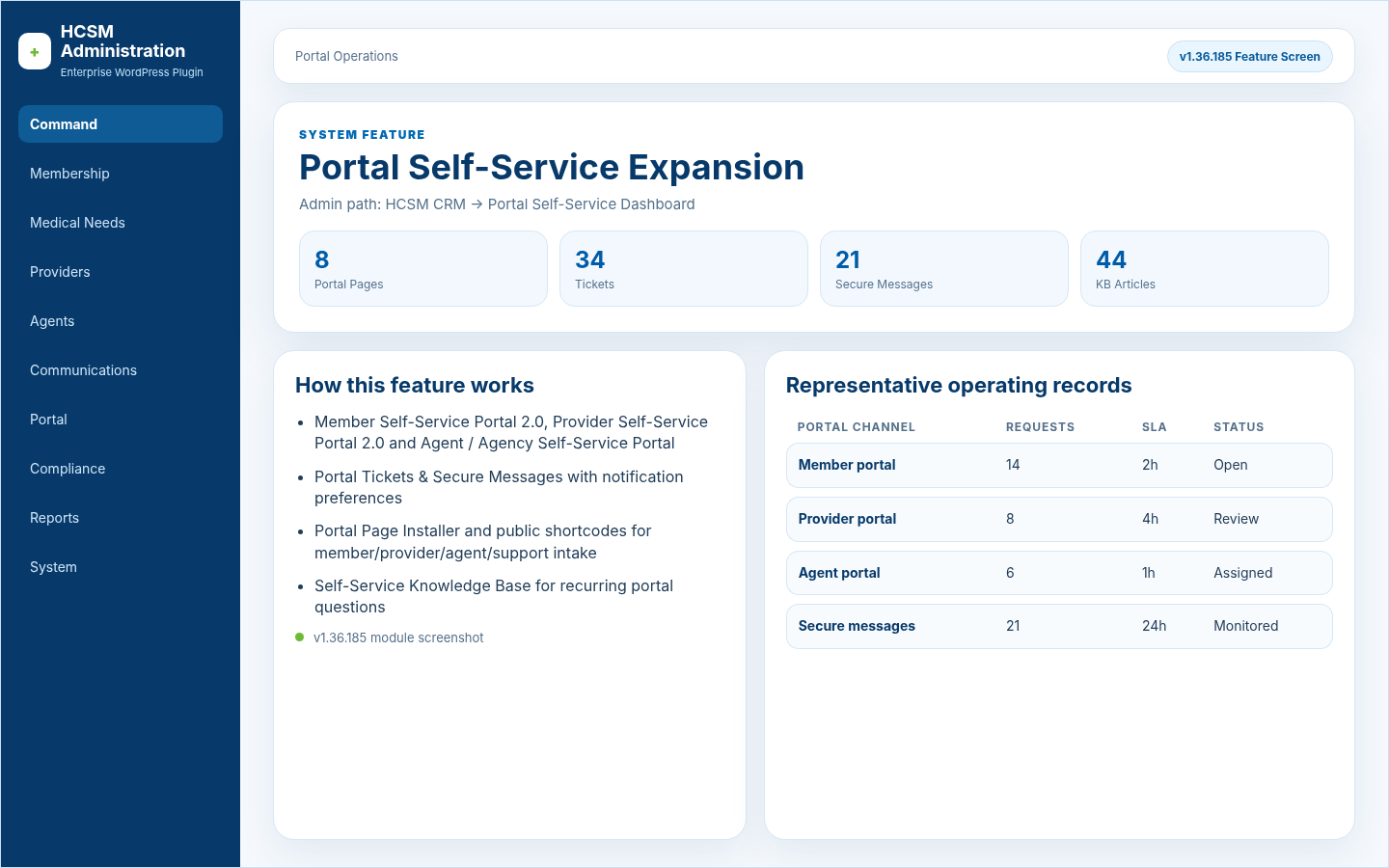
Portal Self-Service ExpansionPortal Operations

Member Self-Service Portal 2.0, Provider Self-Service Portal 2.0 and Agent / Agency Self-Service Portal; Portal Tickets & Secure Messages with notification preferences

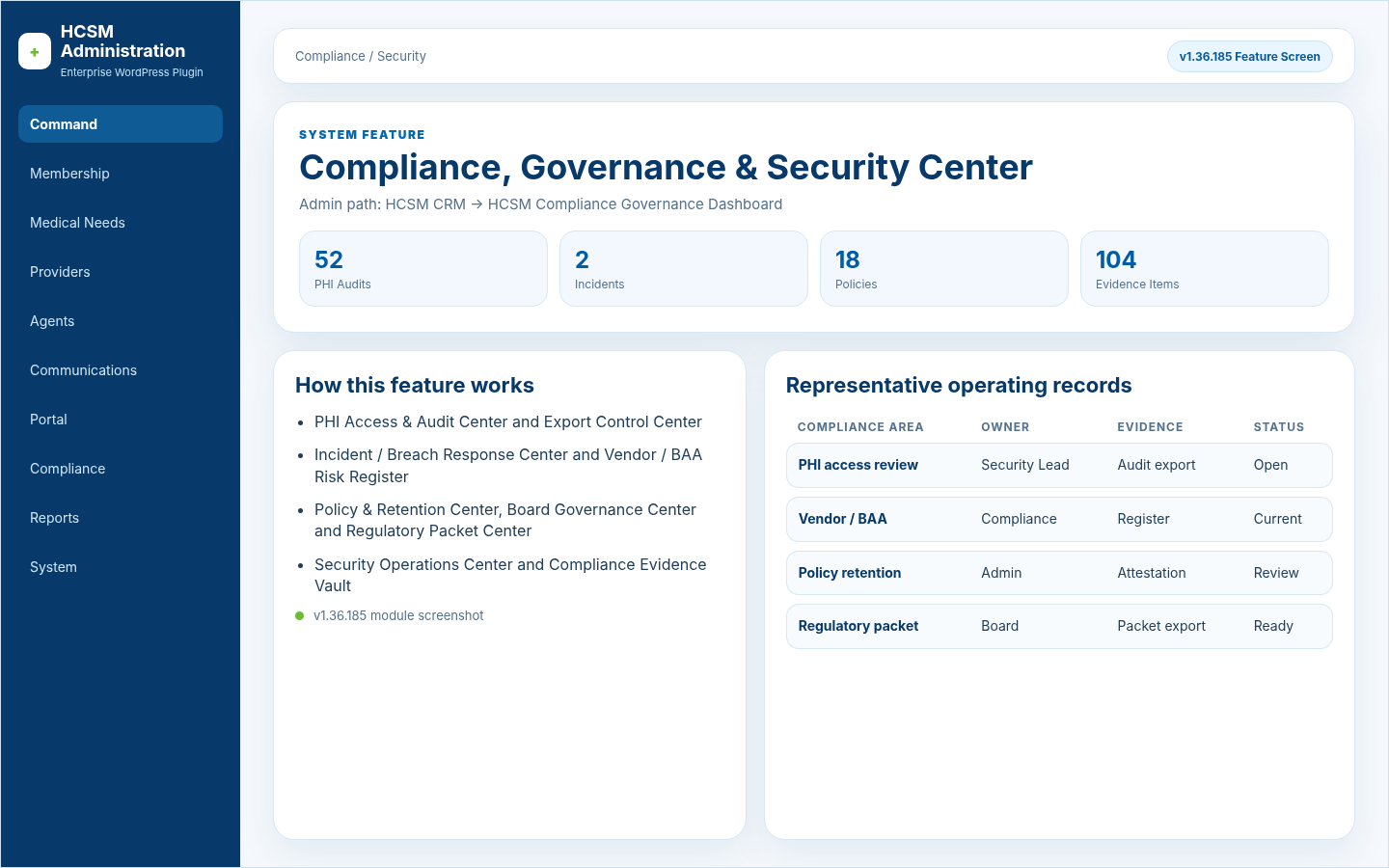
Compliance, Governance & Security CenterCompliance / Security

PHI Access & Audit Center and Export Control Center; Incident / Breach Response Center and Vendor / BAA Risk Register

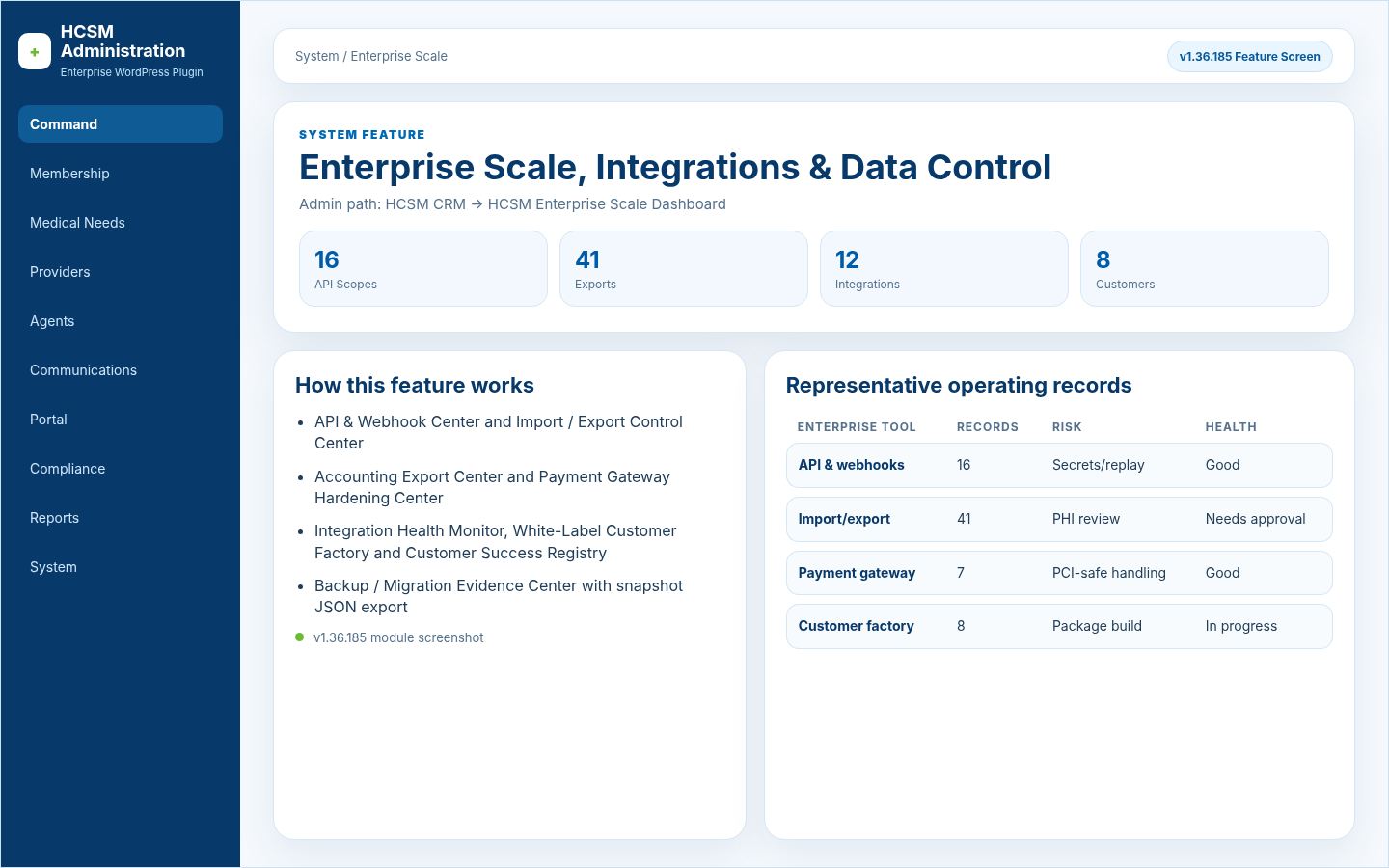
Enterprise Scale, Integrations & Data ControlSystem / Enterprise Scale

API & Webhook Center and Import / Export Control Center; Accounting Export Center and Payment Gateway Hardening Center

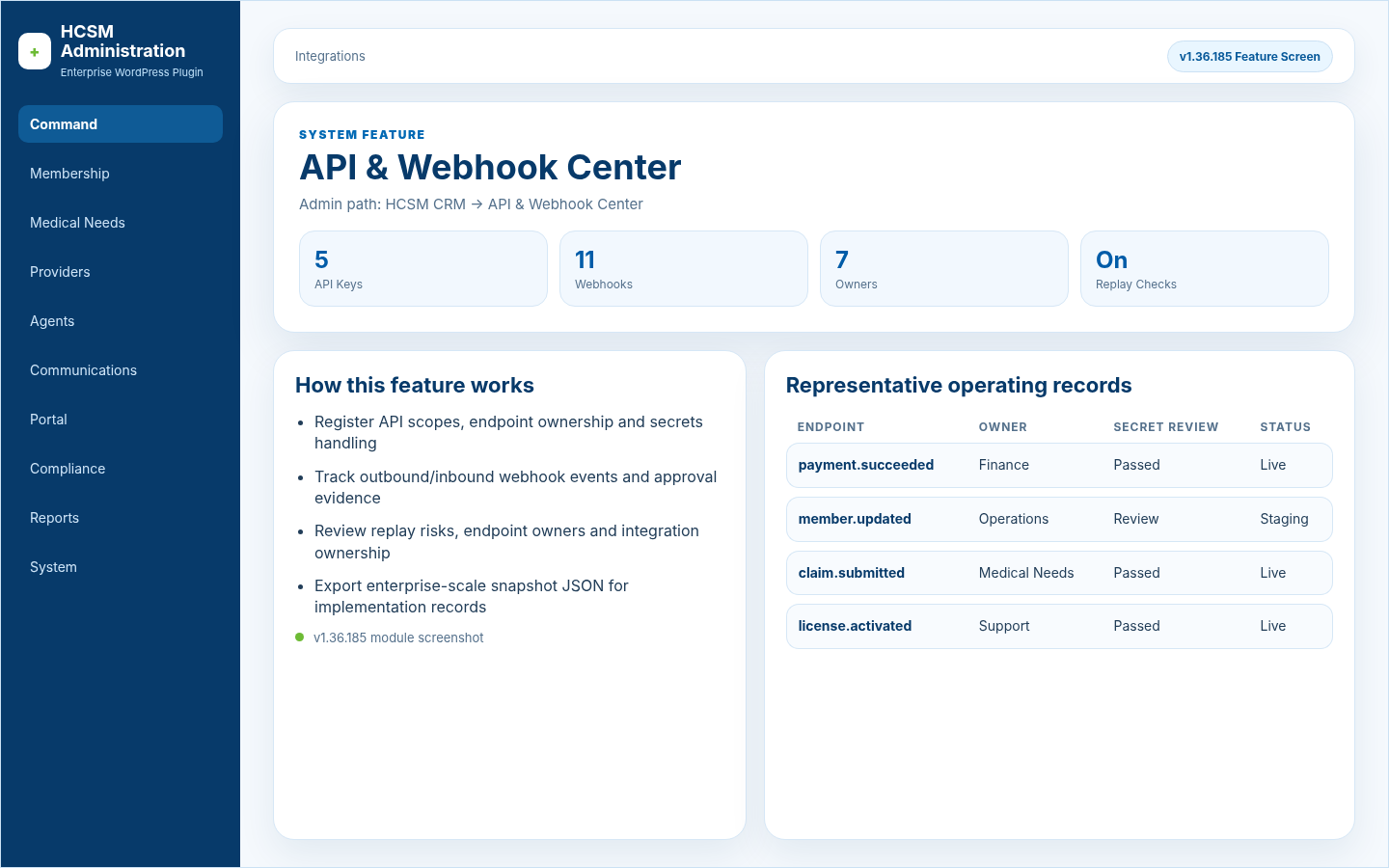
API & Webhook CenterIntegrations

Register API scopes, endpoint ownership and secrets handling; Track outbound/inbound webhook events and approval evidence

Import / Export Control CenterData Control

Track controlled data movement, CSV templates and background exports; Capture validation errors, approval evidence and PHI-sensitive export review

Accounting Export & Payment Gateway HardeningFinance / Integrations

Track QuickBooks/general-ledger exports, contribution receipts and commission expenses; Review sharing payments, refunds, adjustments and reconciliation evidence

White-Label Customer Factory & Success RegistryWhite Label / Customer Success

Track edition selection, branding, license generation and package building; Assign update channels, default portal pages, initial admins and training handoff

System-Wide Feature Descriptions & User GuidanceSystem & Configuration

Plain-English Page Guide boxes across CRM admin pages; Used-for guidance explaining when and why each tool is used

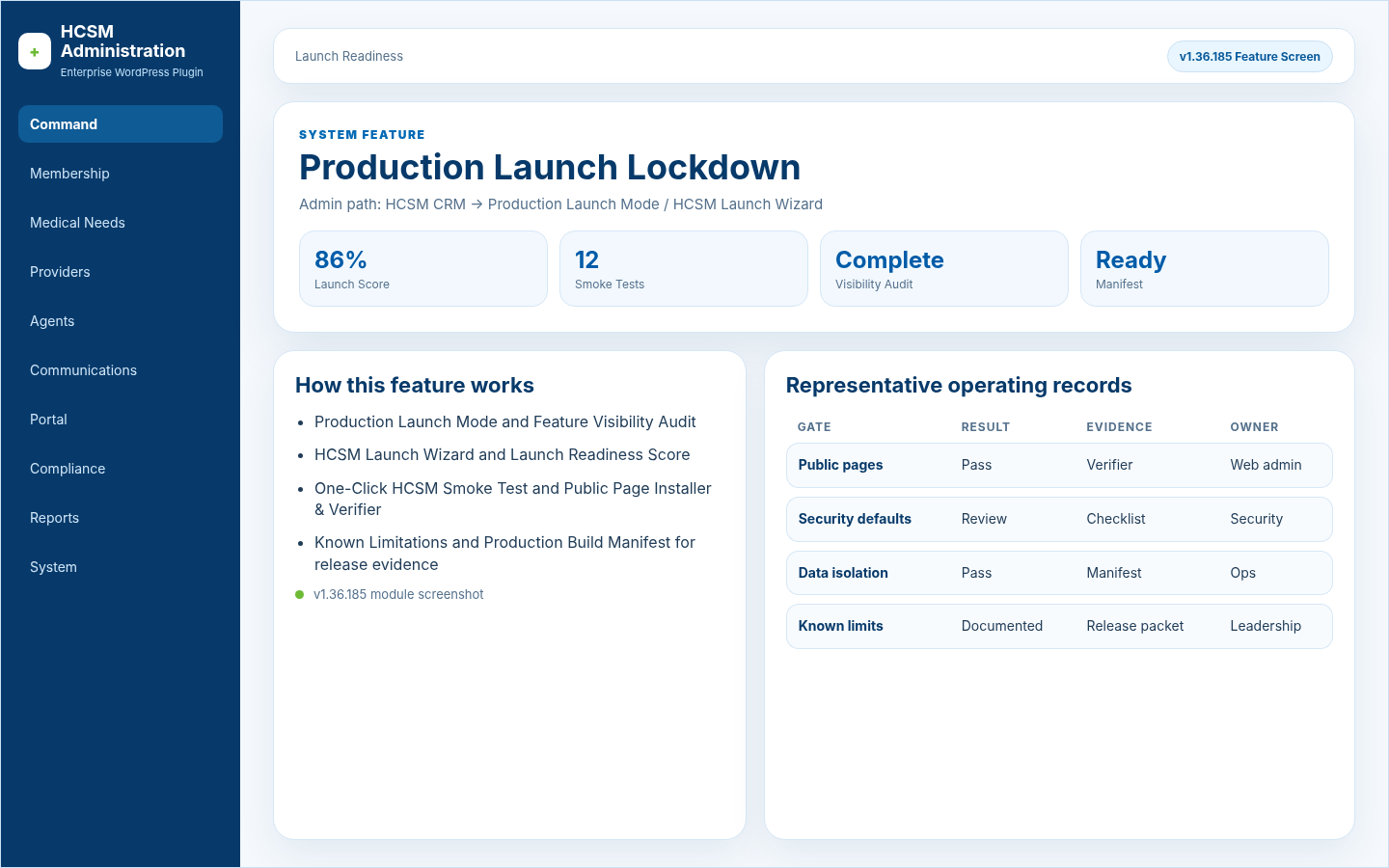
Production Launch LockdownLaunch Readiness

Production Launch Mode and Feature Visibility Audit; HCSM Launch Wizard and Launch Readiness Score

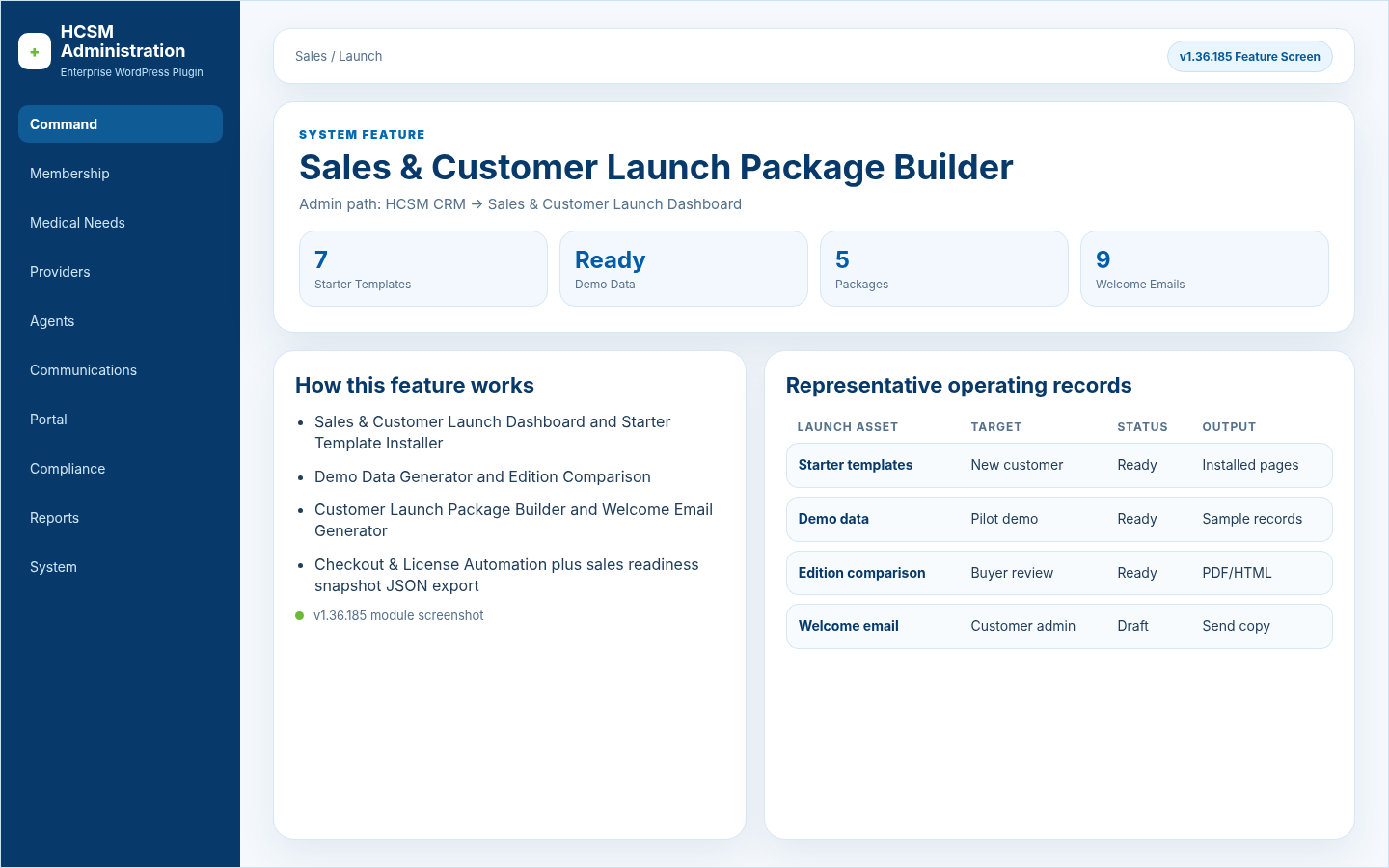
Sales & Customer Launch Package BuilderSales / Launch

Sales & Customer Launch Dashboard and Starter Template Installer; Demo Data Generator and Edition Comparison

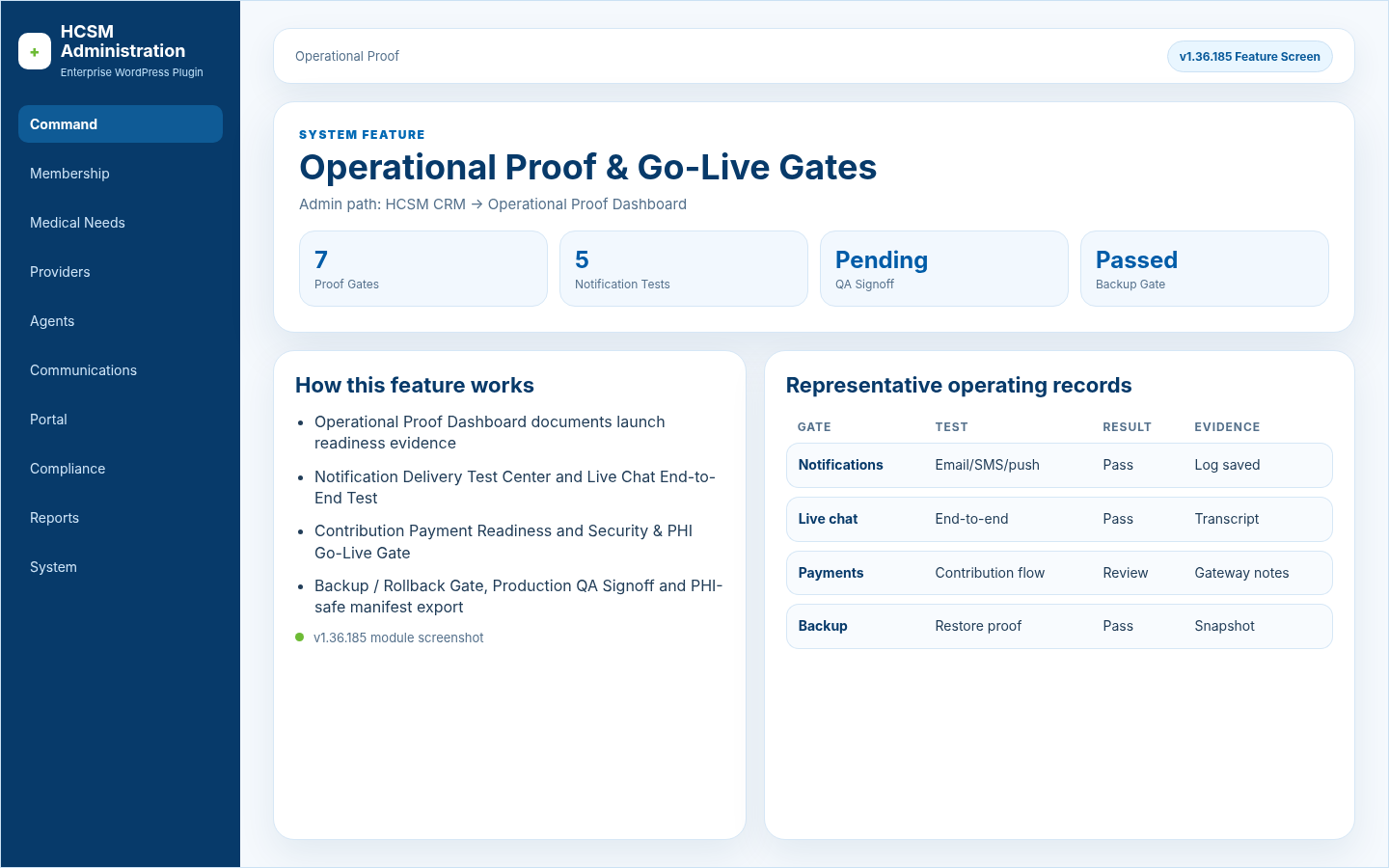
Operational Proof & Go-Live GatesOperational Proof

Operational Proof Dashboard documents launch readiness evidence; Notification Delivery Test Center and Live Chat End-to-End Test

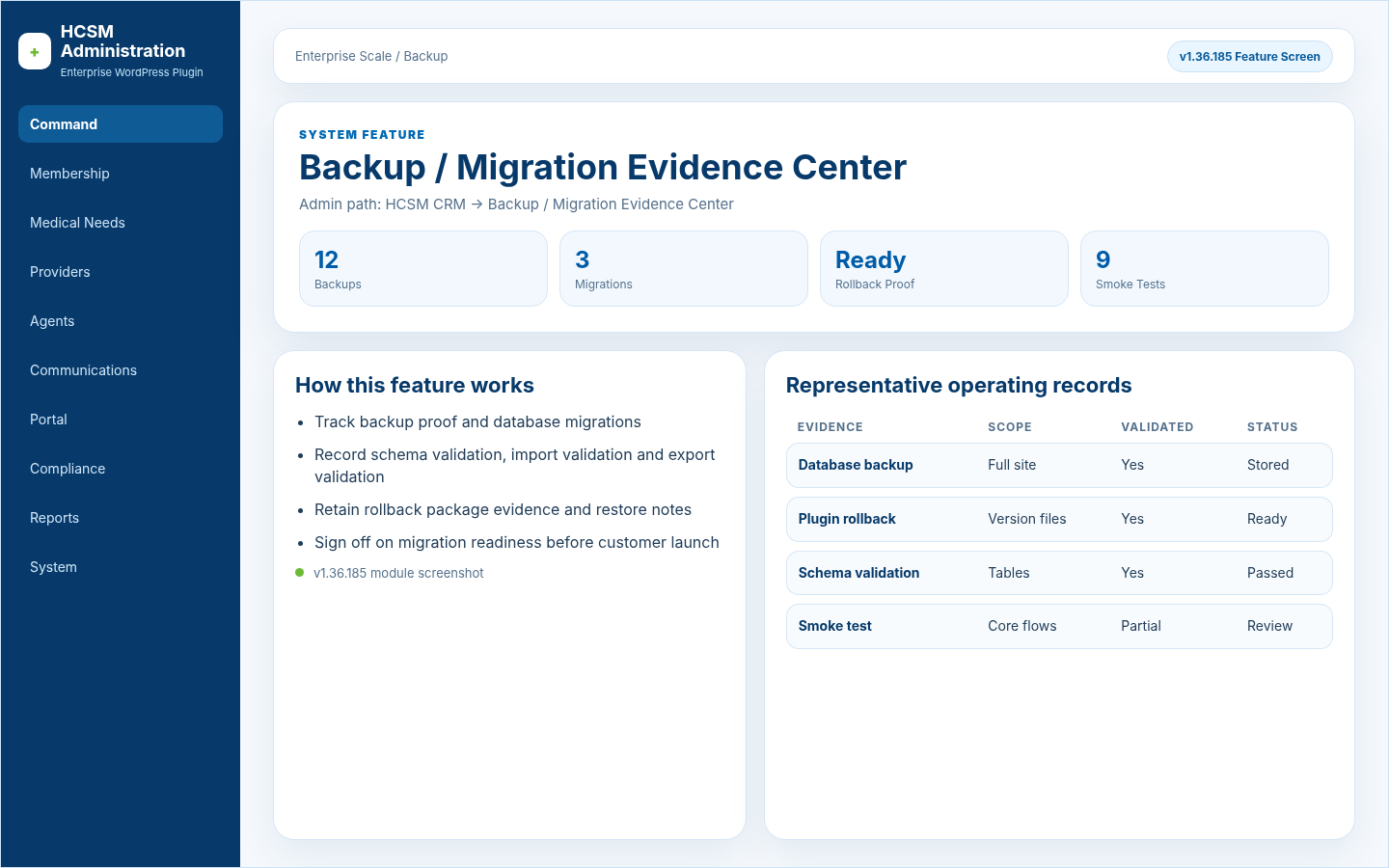
Backup / Migration Evidence CenterEnterprise Scale / Backup

Track backup proof and database migrations; Record schema validation, import validation and export validation

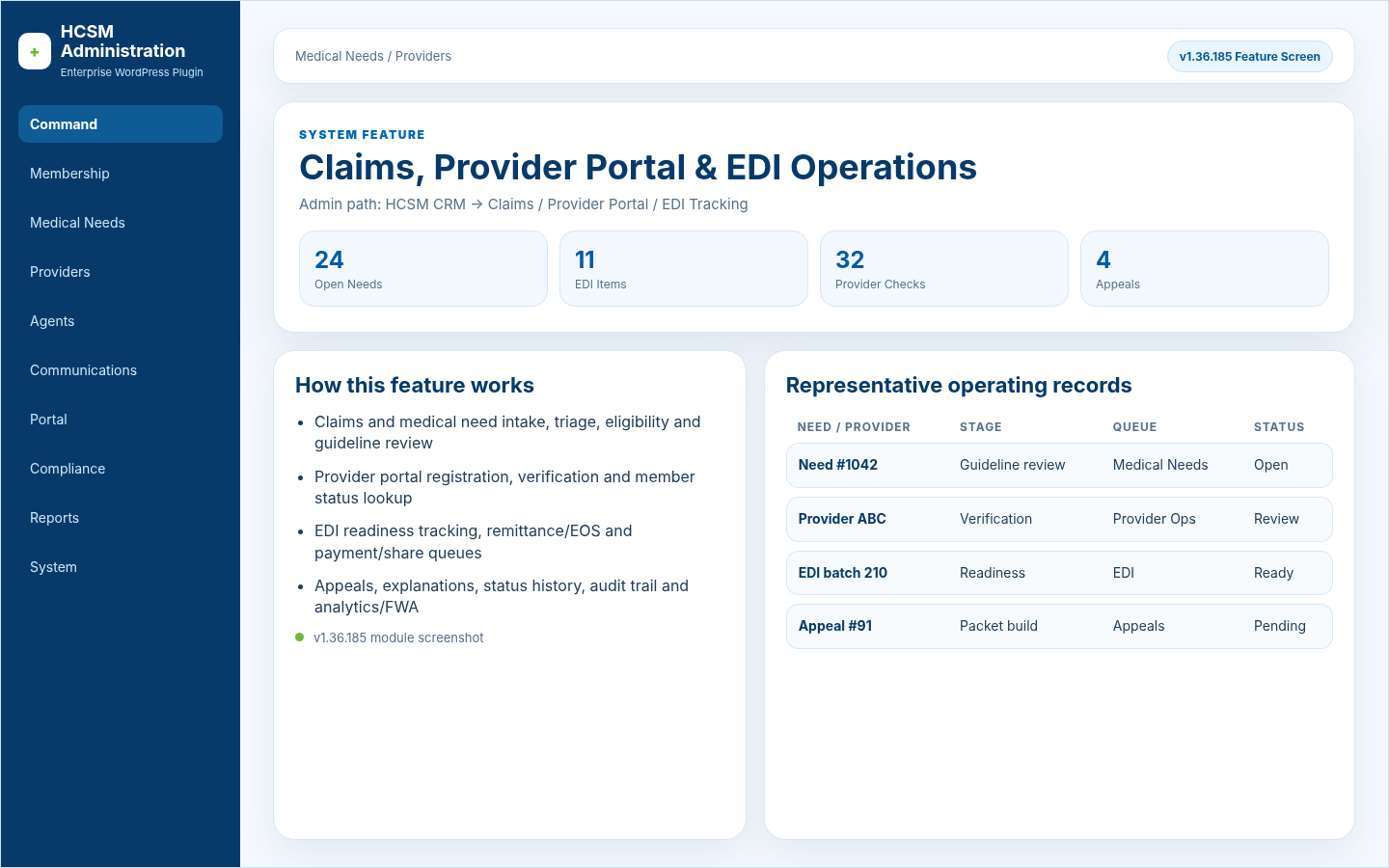
Claims, Provider Portal & EDI OperationsMedical Needs / Providers

Claims and medical need intake, triage, eligibility and guideline review; Provider portal registration, verification and member status lookup

This feature update describes administrative workflow tools. It is not legal, clinical, payer, insurance, payment-processing, EDI clearinghouse, cybersecurity, IRS, state, HCSM regulatory, or HIPAA certification.

v1.36.185 Knowledge Center

Feature screenshots and workflow explanations from the latest system package.

Each card includes a system screenshot, where the feature lives, and a plain-English explanation of what administrators can do with it.

Command Center & Navigation Manager
Command / System & Configuration

Command Center & Navigation Manager

Admin path: HCSM CRM -> Command Center / Enterprise Navigation Manager

  • Command-first classic left navigation
  • Global tool search, saved views, favorites and recent items
  • Active menu section persistence after page loads
  • Resizable admin menu with collapsed parent/subgroup sections
Membership Card Builder & Studio Pro
Membership / Member Portal

Membership Card Builder & Studio Pro

Admin path: HCSM CRM -> Membership Card Builder / Card Studio Pro

  • Edit saved membership card templates instead of rebuilding from scratch
  • Live browser preview updates while admins type member data
  • Use Website Scheme and Apply Website Scheme to all templates
  • Full color controls for front, back, shell, border, text, accent and logo areas
Native Live Chat Command Inbox
Communications

Native Live Chat Command Inbox

Admin path: HCSM CRM -> Communications -> Live Chat Inbox

  • Enterprise operator inbox with priority, tags, internal notes and quick replies
  • Desktop alert monitor and synchronized unread/read state
  • Delete chat, bulk delete, selected-chat persistence and failsafe deletion repair
  • Pinned composer and scroll-safe message history so replies do not overlap
Public Live Chat Widget & Native Bubble
Public Website / Communications

Public Live Chat Widget & Native Bubble

Admin path: Public pages -> Auto-rendered native live chat bubble

  • Polished floating public live chat widget experience
  • Persistent visitor chat sessions in browser
  • Native CRM widget replaces legacy C&S shortcode aliases
  • Public first-message display is optimistic so visitors see their message immediately
Sessionless API Mobile Chat App
Communications / Mobile App

Sessionless API Mobile Chat App

Admin path: HCSM CRM -> Communications -> Live Chat API Mobile App

  • Phone-friendly API mobile app works without sharing desktop wp-admin login cookies
  • Token-authenticated queue, thread, reply, read, close, delete and badge endpoints
  • Notification click URLs reopen the app with token fallback when needed
  • Push delivery cooldown prevents duplicate notification stacks for the same chat
AI Live Chat Assistant & Away Auto Reply
Communications / AI Assistant

AI Live Chat Assistant & Away Auto Reply

Admin path: HCSM CRM -> Communications -> AI Live Chat Assistant

  • Operator availability controls for Available, Away and Business Hours
  • Away auto-reply message with optional delay and once-per-chat behavior
  • Suggested Reply buttons in desktop and mobile inboxes
  • Local CRM knowledge base with optional OpenAI-compatible provider and PHI redaction
Agents / Agencies Hierarchy Readability
Agents / Agencies

Agents / Agencies Hierarchy Readability

Admin path: HCSM CRM -> Agents / Agencies -> Hierarchy

  • Cleaner hierarchy table so names do not stack one word per line
  • Agent code and email moved into secondary line under hierarchy name
  • Scroll-safe table wrapper keeps wide data inside the CRM content area
  • Counts, contributions, commissions and hierarchy expand/collapse remain available
HCSM Operating System Core
Command / Membership / Medical Needs / System

HCSM Operating System Core

Admin path: HCSM CRM -> HCSM Operations Command Center

  • Workflow Template Registry for repeatable operating processes
  • Member Lifecycle Engine and Medical Need Lifecycle Stages
  • Guideline Rules Manager and Unified Profile Timeline
  • Data Quality Center, Notification Command Center, Support Ticket Center and Implementation Wizard
HCSM Business Depth Dashboard
Operations

HCSM Business Depth Dashboard

Admin path: HCSM CRM -> HCSM Business Depth Dashboard

  • EOS / Sharing Builder for Explanation of Sharing workflows
  • Sharing Fund Ledger and contribution/payment evidence
  • Provider Operations Center and Agent Commission Engine
  • State Disclosure & Regulatory Center, Secure Document Request Center and Operations Packet Builder
Portal Self-Service Expansion
Portal Operations

Portal Self-Service Expansion

Admin path: HCSM CRM -> Portal Self-Service Dashboard

  • Member Self-Service Portal 2.0, Provider Self-Service Portal 2.0 and Agent / Agency Self-Service Portal
  • Portal Tickets & Secure Messages with notification preferences
  • Portal Page Installer and public shortcodes for member/provider/agent/support intake
  • Self-Service Knowledge Base for recurring portal questions
Compliance, Governance & Security Center
Compliance / Security

Compliance, Governance & Security Center

Admin path: HCSM CRM -> HCSM Compliance Governance Dashboard

  • PHI Access & Audit Center and Export Control Center
  • Incident / Breach Response Center and Vendor / BAA Risk Register
  • Policy & Retention Center, Board Governance Center and Regulatory Packet Center
  • Security Operations Center and Compliance Evidence Vault
Enterprise Scale, Integrations & Data Control
System / Enterprise Scale

Enterprise Scale, Integrations & Data Control

Admin path: HCSM CRM -> HCSM Enterprise Scale Dashboard

  • API & Webhook Center and Import / Export Control Center
  • Accounting Export Center and Payment Gateway Hardening Center
  • Integration Health Monitor, White-Label Customer Factory and Customer Success Registry
  • Backup / Migration Evidence Center with snapshot JSON export
API & Webhook Center
Integrations

API & Webhook Center

Admin path: HCSM CRM -> API & Webhook Center

  • Register API scopes, endpoint ownership and secrets handling
  • Track outbound/inbound webhook events and approval evidence
  • Review replay risks, endpoint owners and integration ownership
  • Export enterprise-scale snapshot JSON for implementation records
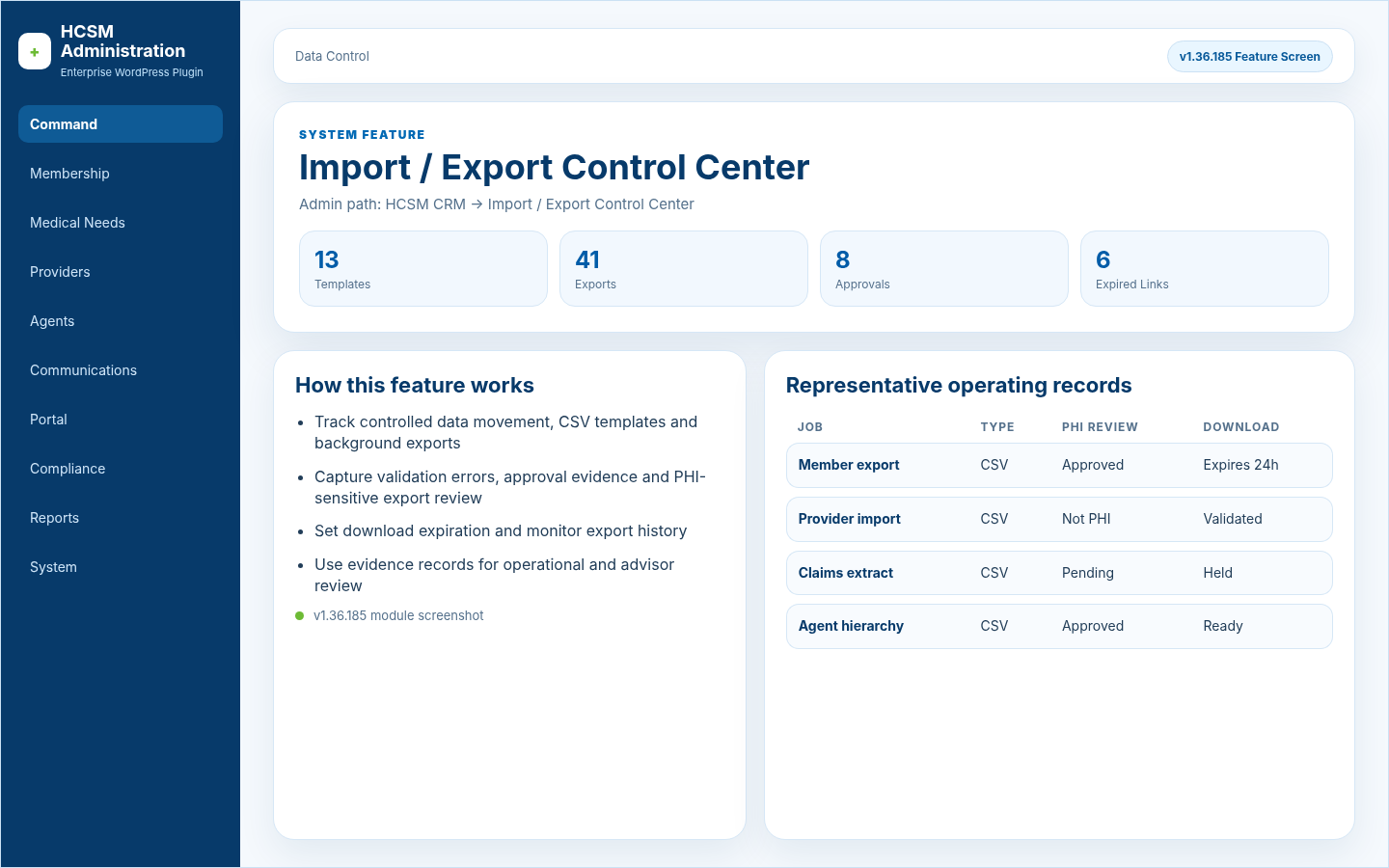
Import / Export Control Center
Data Control

Import / Export Control Center

Admin path: HCSM CRM -> Import / Export Control Center

  • Track controlled data movement, CSV templates and background exports
  • Capture validation errors, approval evidence and PHI-sensitive export review
  • Set download expiration and monitor export history
  • Use evidence records for operational and advisor review
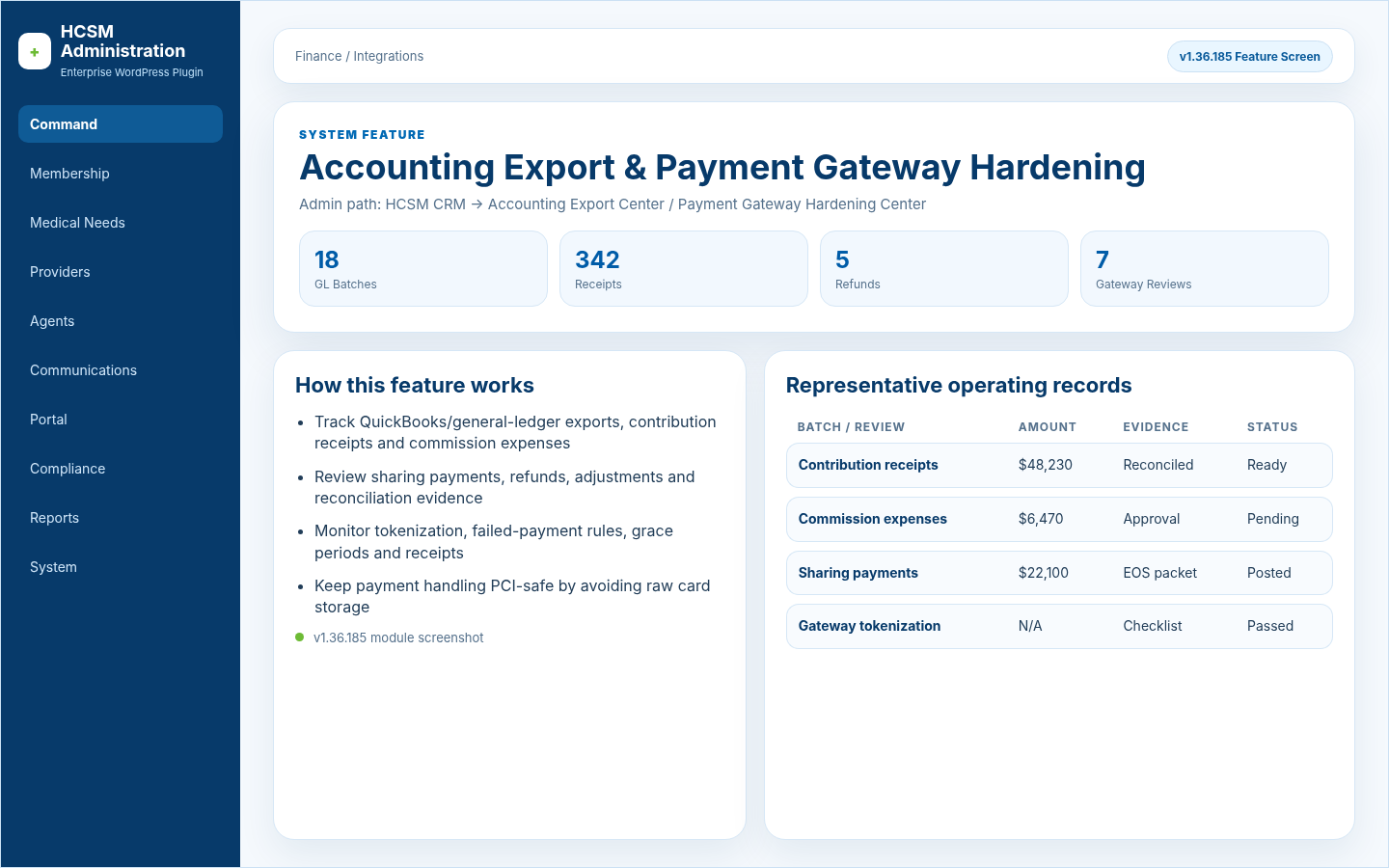
Accounting Export & Payment Gateway Hardening
Finance / Integrations

Accounting Export & Payment Gateway Hardening

Admin path: HCSM CRM -> Accounting Export Center / Payment Gateway Hardening Center

  • Track QuickBooks/general-ledger exports, contribution receipts and commission expenses
  • Review sharing payments, refunds, adjustments and reconciliation evidence
  • Monitor tokenization, failed-payment rules, grace periods and receipts
  • Keep payment handling PCI-safe by avoiding raw card storage
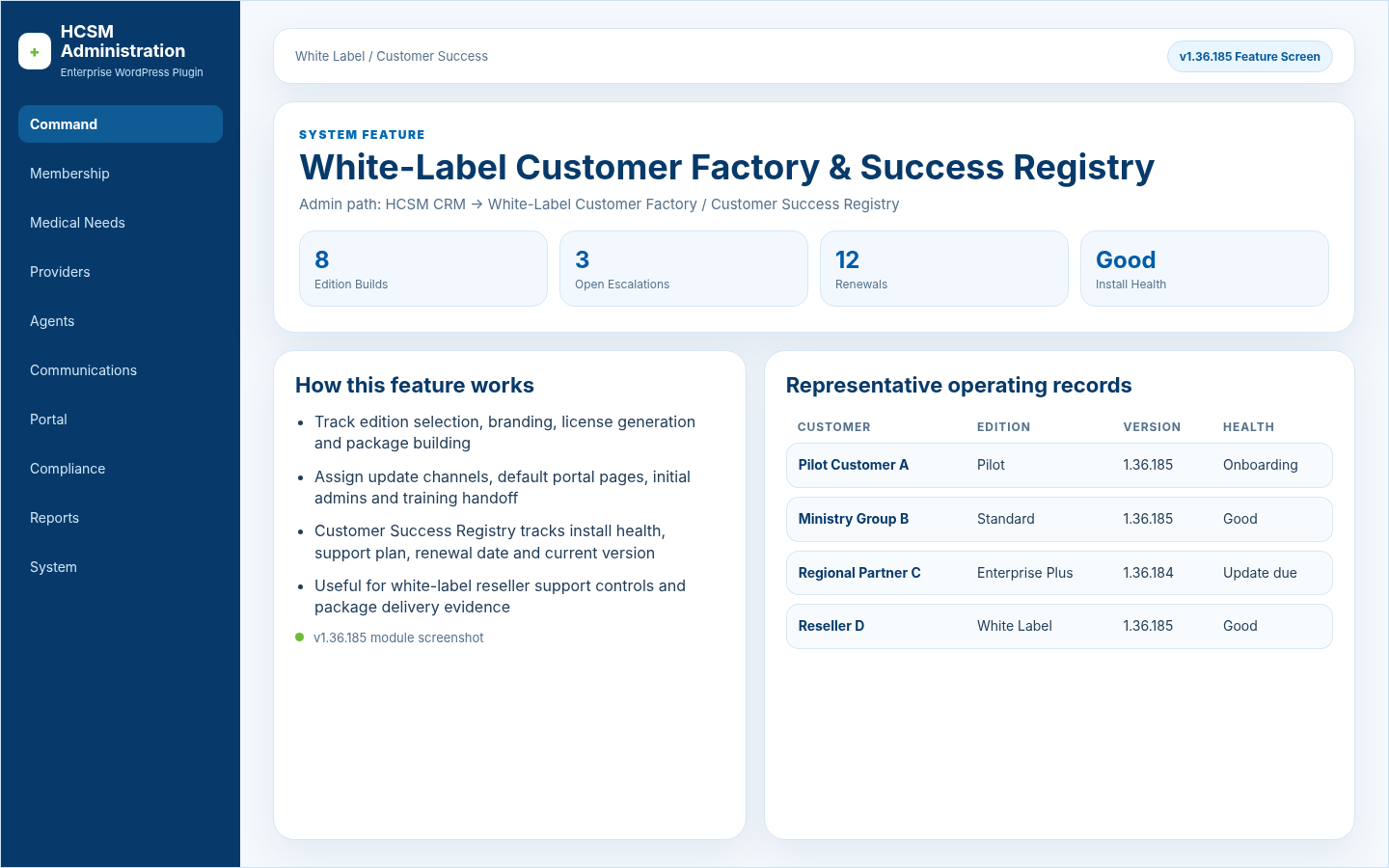
White-Label Customer Factory & Success Registry
White Label / Customer Success

White-Label Customer Factory & Success Registry

Admin path: HCSM CRM -> White-Label Customer Factory / Customer Success Registry

  • Track edition selection, branding, license generation and package building
  • Assign update channels, default portal pages, initial admins and training handoff
  • Customer Success Registry tracks install health, support plan, renewal date and current version
  • Useful for white-label reseller support controls and package delivery evidence
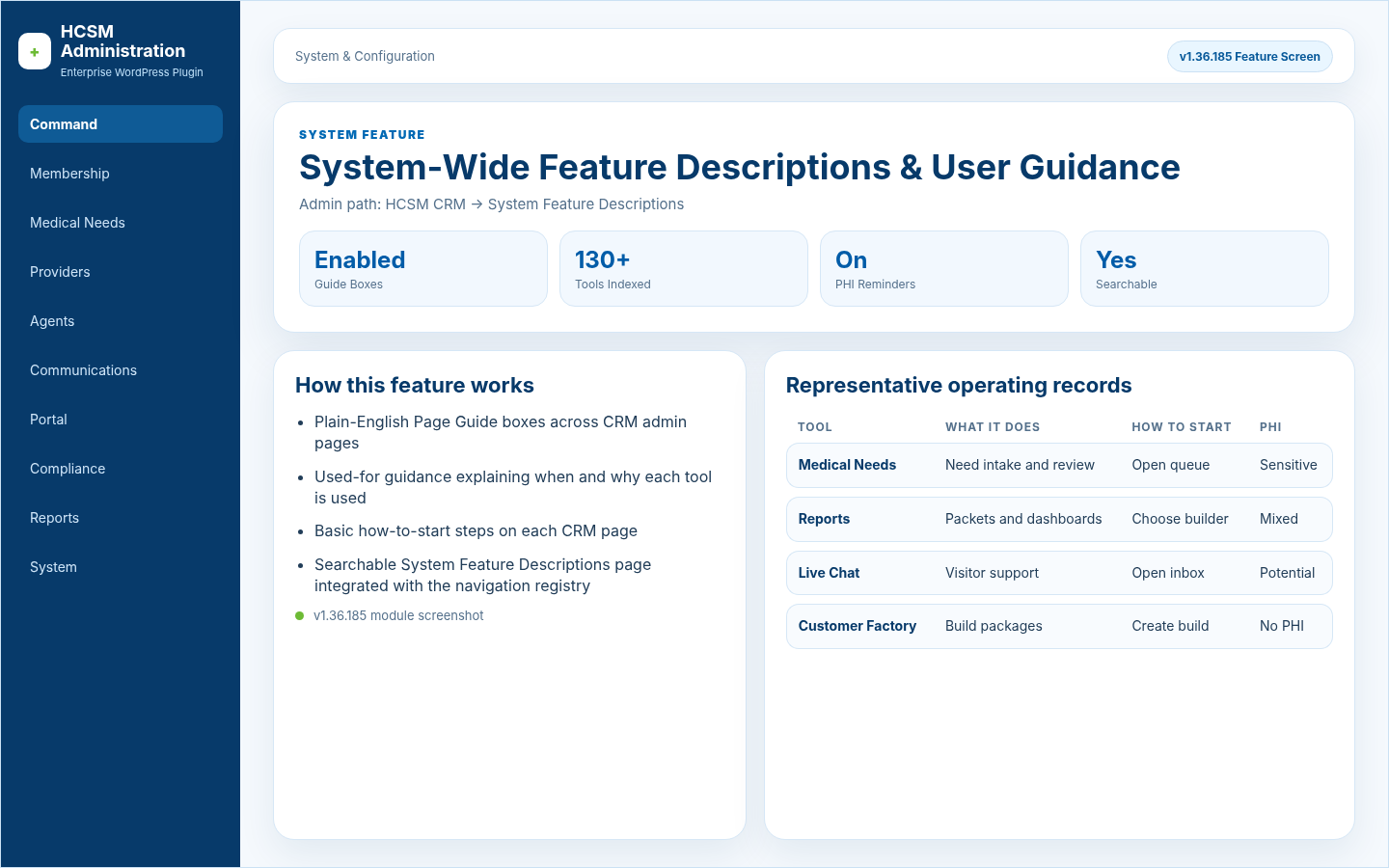
System-Wide Feature Descriptions & User Guidance
System & Configuration

System-Wide Feature Descriptions & User Guidance

Admin path: HCSM CRM -> System Feature Descriptions

  • Plain-English Page Guide boxes across CRM admin pages
  • Used-for guidance explaining when and why each tool is used
  • Basic how-to-start steps on each CRM page
  • Searchable System Feature Descriptions page integrated with the navigation registry
Production Launch Lockdown
Launch Readiness

Production Launch Lockdown

Admin path: HCSM CRM -> Production Launch Mode / HCSM Launch Wizard

  • Production Launch Mode and Feature Visibility Audit
  • HCSM Launch Wizard and Launch Readiness Score
  • One-Click HCSM Smoke Test and Public Page Installer & Verifier
  • Known Limitations and Production Build Manifest for release evidence
Sales & Customer Launch Package Builder
Sales / Launch

Sales & Customer Launch Package Builder

Admin path: HCSM CRM -> Sales & Customer Launch Dashboard

  • Sales & Customer Launch Dashboard and Starter Template Installer
  • Demo Data Generator and Edition Comparison
  • Customer Launch Package Builder and Welcome Email Generator
  • Checkout & License Automation plus sales readiness snapshot JSON export
Operational Proof & Go-Live Gates
Operational Proof

Operational Proof & Go-Live Gates

Admin path: HCSM CRM -> Operational Proof Dashboard

  • Operational Proof Dashboard documents launch readiness evidence
  • Notification Delivery Test Center and Live Chat End-to-End Test
  • Contribution Payment Readiness and Security & PHI Go-Live Gate
  • Backup / Rollback Gate, Production QA Signoff and PHI-safe manifest export
Backup / Migration Evidence Center
Enterprise Scale / Backup

Backup / Migration Evidence Center

Admin path: HCSM CRM -> Backup / Migration Evidence Center

  • Track backup proof and database migrations
  • Record schema validation, import validation and export validation
  • Retain rollback package evidence and restore notes
  • Sign off on migration readiness before customer launch
Claims, Provider Portal & EDI Operations
Medical Needs / Providers

Claims, Provider Portal & EDI Operations

Admin path: HCSM CRM -> Claims / Provider Portal / EDI Tracking

  • Claims and medical need intake, triage, eligibility and guideline review
  • Provider portal registration, verification and member status lookup
  • EDI readiness tracking, remittance/EOS and payment/share queues
  • Appeals, explanations, status history, audit trail and analytics/FWA
Chat with usOnline

We usually reply in a few seconds.